一. Glusterfs建置
服務器信息
| hostname | ip | glusterfs peer |
|---|---|---|
| k8s-master | 192.168.1.156 | no |
| k8s-node1 | 192.168.1.14 | yes |
| k8s-node2 | 192.168.1.15 | yes |
| k8s-node3 | 192.168.1.7 | yes |
在k8s-node1,k8s-node2,k8s-node3 從ESXI上額外在掛一顆硬碟(不需格式化及掛載)
在k8s-node1,k8s-node2,k8s-node3上安裝glusterfs-server
sudo apt -y install glusterfs-server
sudo systemctl enable --now glusterd
gluster --version
在k8s-node1,k8s-node2,k8s-node3上開啟mod
lsmod |egrep "dm_snapshot|dm_mirror|dm_thin_pool"
modprobe dm_snapshot
modprobe dm_thin_pool
modprobe dm_mirror
#Brick Server 三個節點需要保持時鐘同步
# yum install chrony -y
# egrep -v "^$|^#" /etc/chrony.conf
server 172.20.0.252 iburst
driftfile /var/lib/chrony/ drift
makestep 1.0 3
實時同步
logdir / var / log / chrony
#設置開機啟動,並重啟
# systemctl enable chronyd.service
# systemctl restart chronyd.service
#查看狀態
# systemctl status chronyd.service
# chronyc sources -v
#另如果啟動nfs server,需要開啟38465:38467,111等端口
-A INPUT -p tcp -m state --state NEW -m tcp --dport 24007:24008 - j ACCEPT
-A INPUT -p tcp -m state --state NEW -m tcp --dport 49152:49160 - j ACCEPT
二. heketi建置
yum install -y centos-release-gluster
yum install -y heketi heketi-client
vim /etc/heketi/heketi.json
{
  "_port_comment": "Heketi Server Port Number",
  "port": "8080",

  "_use_auth": "Enable JWT authorization. Please enable for deployment",
  "use_auth": false,

  "_jwt": "Private keys for access",
  "jwt": {
    "_admin": "Admin has access to all APIs",
    "admin": {
      "key": "admin@123"
    },
    "_user": "User only has access to /volumes endpoint",
    "user": {
      "key": "admin@123"
    }
  },

  "_glusterfs_comment": "GlusterFS Configuration",
  "glusterfs": {
    "_executor_comment": [
      "Execute plugin. Possible choices: mock, ssh",
      "mock: This setting is used for testing and development.",
      " It will not send commands to any node.",
      "ssh: This setting will notify Heketi to ssh to the nodes.",
      " It will need the values in sshexec to be configured.",
      "kubernetes: Communicate with GlusterFS containers over",
      " Kubernetes exec api."
    ],
    "executor": "ssh",

    "_sshexec_comment": "SSH username and private key file information",
    "sshexec": {
      "keyfile": "/etc/heketi/heketi_key",
      "user": "root",
      "port": "22",
      "fstab": "/etc/fstab"
    },

    "_kubeexec_comment": "Kubernetes configuration",
    "kubeexec": {
      "host" :"https://kubernetes.host:8443",
      "cert" : "/path/to/crt.file",
      "insecure": false,
      "user": "kubernetes username",
      "password": "password for kubernetes user",
      "namespace": "OpenShift project or Kubernetes namespace",
      "fstab": "Optional: Specify fstab file on node. Default is /etc/fstab"
    },

    "_db_comment": "Database file name",
    "db": "/var/lib/heketi/heketi.db",

    "_loglevel_comment": [
      "Set log level. Choices are:",
      " none, critical, error, warning, info, debug",
      "Default is warning"
    ],
    "loglevel" : "debug"
  }
}
設置heketi免密訪問GlusterFS
#選擇ssh執行器,heketi服務器需要免密登陸GlusterFS集群的各節點;
# -t:秘鑰類型;
# -q:安靜模式;
# -f:指定生成秘鑰的目錄與名字,注意與heketi.json的ssh執行器中"keyfile"值一致;
# -N:秘鑰密碼,””即為空
ssh-keygen -t rsa -q -f /etc/heketi/heketi_key -N ""
# heketi服務由heketi用戶啟動,heketi用戶需要有新生成key的讀賦權,否則服務無法啟動
chown heketi:heketi /etc/heketi/heketi_key
#分發公鑰;
# -i:指定公鑰
ssh-copy-id -i /etc/heketi/heketi_key.pub [email protected]
ssh-copy-id -i /etc/heketi/heketi_key.pub [email protected]
ssh-copy-id -i /etc/heketi/heketi_key.pub [email protected]
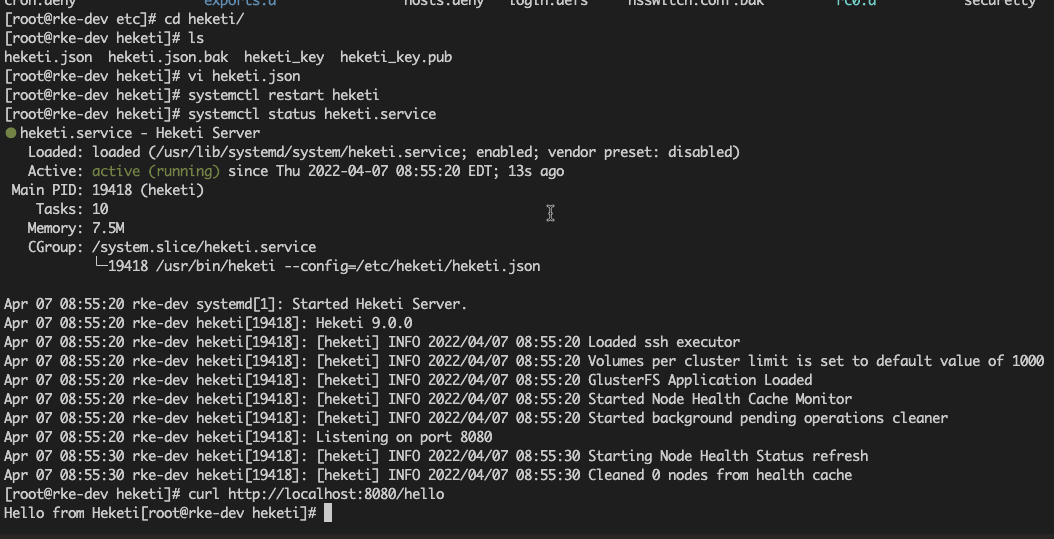
啟動heketi
systemctl enable heketi
systemctl restart heketi
systemctl status heketi
#驗證
curl http://localhost:8080/hello
設置GlusterFS集群
#通過topology.json文件定義組建GlusterFS集群;
# topology指定了層級關係:clusters-->nodes-->node/devices-->hostnames/zone;
# node/hostnames字段的manage填寫主機ip,指管理通道,在heketi服務器不能通過hostname訪問GlusterFS節點時不能填寫hostname;
# node/hostnames字段的storage填寫主機ip,指存儲數據通道,與manage可以不一樣;
# node/zone字段指定了node所處的故障域,heketi通過跨故障域創建副本,提高數據高可用性質,如可以通過rack的不同區分zone值,創建跨機架的故障域;
# devices字段指定GlusterFS各節點的盤符(可以是多塊盤),必須是未創建文件系統的裸設備
創建topology.json文件
{
  "clusters": [
    {
      "nodes": [
        {
          "node": {
            "hostnames": {
              "manage": [
                "192.168.1.14"
              ],
              "storage": [
                "192.168.1.14"
              ]
            },
            "zone": 1
          },
          "devices": [
            "/dev/sdc"
          ]
        },
        {
          "node": {
            "hostnames": {
              "manage": [
                "192.168.1.15"
              ],
              "storage": [
                "192.168.1.15"
              ]
            },
            "zone": 1
          },
          "devices": [
            "/dev/sdc"
          ]
        },
        {
          "node": {
            "hostnames": {
              "manage": [
                "192.168.1.7"
              ],
              "storage": [
                "192.168.1.7"
              ]
            },
            "zone": 1
          },
          "devices": [
            "/dev/sdc"
          ]
        }
      ]
    }
  ]
}
通過topology.json組建GlusterFS集群
# GlusterFS集群各節點的glusterd服務已正常啟動,但不必組建受信存儲池;
# heketi-cli命令行也可手動逐層添加cluster,node,device,volume等;
# “--server http://localhost:8080”:localhost執行heketi-cli時,可不指定;
# ”--user admin --secret admin@123 “:heketi.json中設置了認證,執行heketi-cli時需要帶上認證信息,否則報”Error: Invalid JWT token: Unknown user”錯
heketi-cli --server http://localhost:8080 --user admin --secret admin@123 topology load --json=/etc/heketi/topology.json

#查看heketi topology信息,此時volume與brick等未創建;
#通過”heketi-cli cluster info“可以查看集群相關信息;
#通過”heketi-cli node info“可以查看節點相關信息;
#通過”heketi-cli device info“可以查看device相關信息
heketi-cli --user admin --secret admin@123 topology info
三. K8S集群動態掛載GlusterFS存儲
建立heketi密碼
apiVersion: v1
kind: Secret
metadata:
  name: heketi-secret
  namespace: default
data:
  # base64 encoded password. Eg: echo -n "mypassword" | base64
  key: YWRtaW5AMTIz
type: kubernetes.io/glusterfs
kubectl create -f heketi-secret.yaml
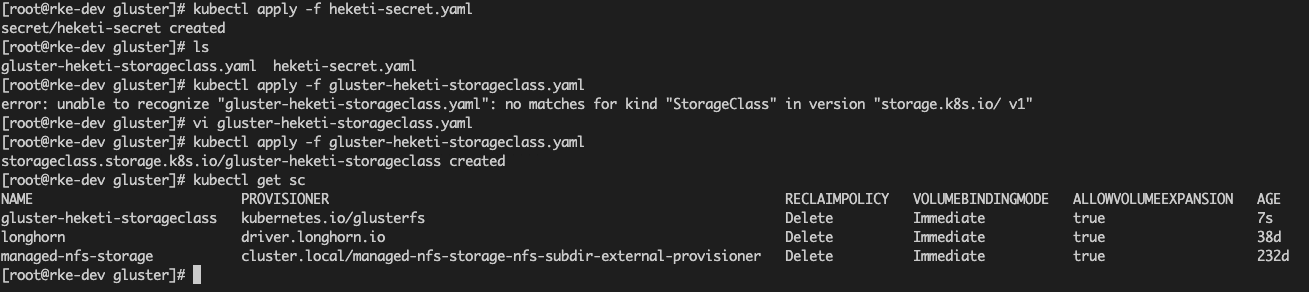
建立storageclass
apiVersion: storage.k8s.io/v1
kind: StorageClass
metadata:
  name: gluster-heketi-storageclass
provisioner: kubernetes.io/glusterfs
reclaimPolicy: Delete
parameters:
  resturl: "http://192.168.1.156:8080"
  restauthenabled: "true"
  restuser: "admin"
  secretNamespace: "default"
  secretName: "heketi-secret"
  volumetype: "replicate:2"
allowVolumeExpansion: true
kubectl create -f gluster-heketi-storageclass.yaml
#查看storageclass資源
[root@rke-dev k8s-glusterfs]# kubectl describe storageclass gluster-heketi-storageclass
Name: gluster-heketi-storageclass
IsDefaultClass: No
Annotations: kubectl.kubernetes.io/last-applied-configuration={"allowVolumeExpansion":true,"apiVersion":"storage.k8s.io/v1","kind":"StorageClass","metadata":{"annotations":{},"name":"gluster-heketi-storageclass"},"parameters":{"restauthenabled":"true","resturl":"http://192.168.1.156:8080","restuser":"admin","secretName":"heketi-secret","secretNamespace":"default","volumetype":"replicate:2"},"provisioner":"kubernetes.io/glusterfs","reclaimPolicy":"Delete"}
Name: gluster-heketi-storageclass
IsDefaultClass: No
Annotations: kubectl.kubernetes.io/last-applied-configuration={"allowVolumeExpansion":true,"apiVersion":"storage.k8s.io/v1","kind":"StorageClass","metadata":{"annotations":{},"name":"gluster-heketi-storageclass"},"parameters":{"restauthenabled":"true","resturl":"http://192.168.1.156:8080","restuser":"admin","secretName":"heketi-secret","secretNamespace":"default","volumetype":"replicate:2"},"provisioner":"kubernetes.io/glusterfs","reclaimPolicy":"Delete"}
Provisioner: kubernetes.io/glusterfs
Parameters: restauthenabled=true,resturl=http://192.168.1.156:8080,restuser=admin,secretName=heketi-secret,secretNamespace=default,volumetype=replicate:2
AllowVolumeExpansion: True
MountOptions: <none>
ReclaimPolicy: Delete
VolumeBindingMode: Immediate
Events: <none>
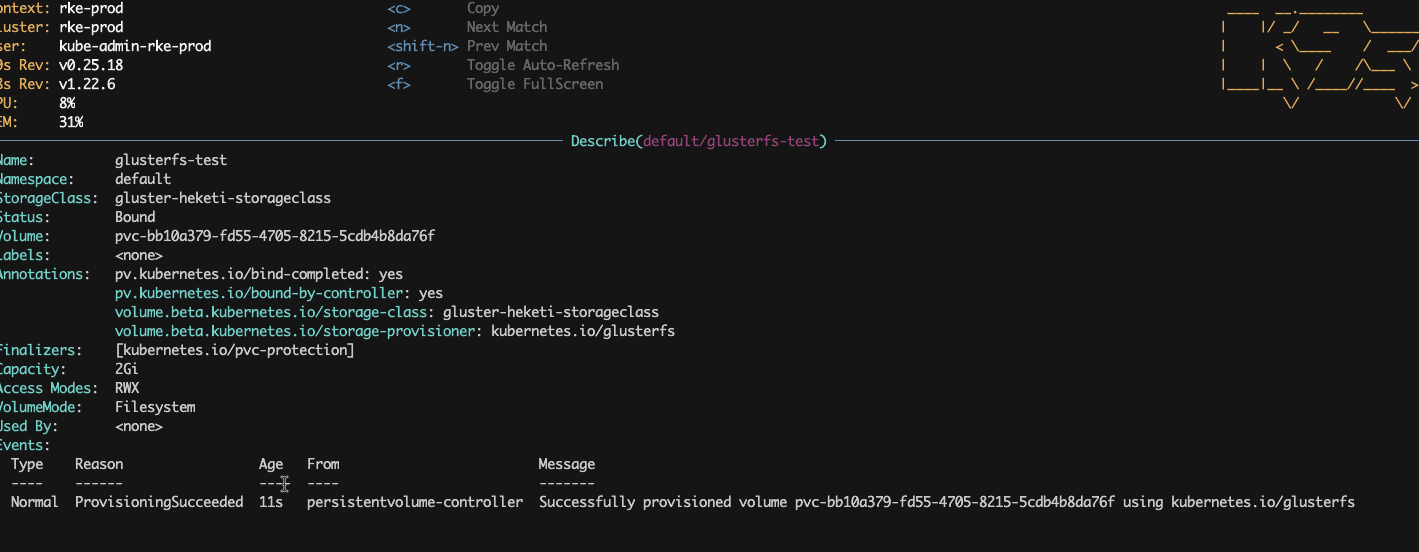
建立一組pvc
kind: PersistentVolumeClaim
apiVersion: v1
metadata:
  name: glusterfs-test
  namespace: default
  annotations:
    volume.beta.kubernetes.io/storage-class: "gluster-heketi-storageclass"
spec:
  accessModes:
  - ReadWriteMany
  resources:
    requests:
      storage: 2Gi
kubectl create -f gluster-heketi-pvc.yaml